Introduction to Case Files
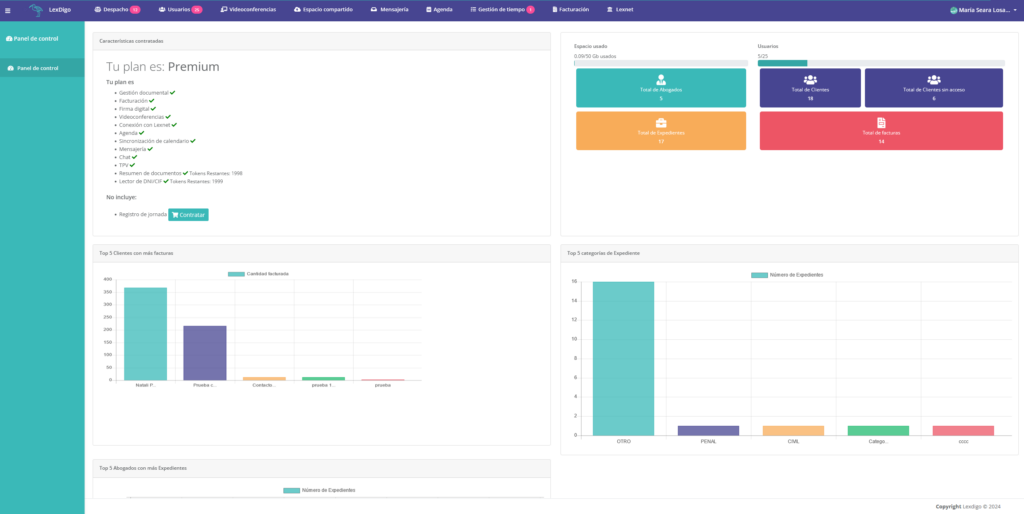
When you enter our platform, you will be able to review the different groups of statistics on the cases managed in your instance. This feature will allow you to maintain detailed control of all cases, making it easier to make informed decisions and improving management efficiency.
We will go to the “Firm” section.
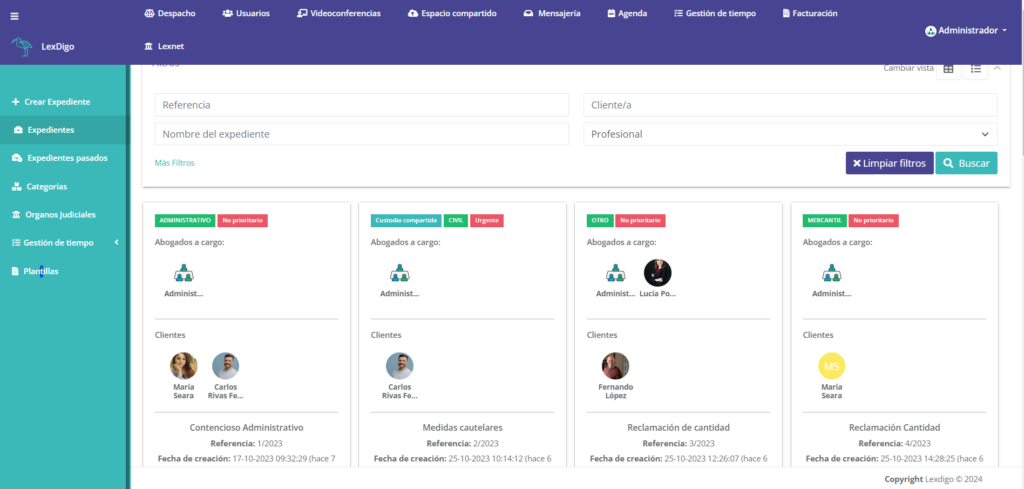
Upon entering, we will be able to view the case files available in our instance.
By clicking “Enter” on a case file, we will access the “Details” tab, where we can see various options such as case file information, process details, and activity. If we wish to edit any data related to the case file, we can do so using the “Edit case file details” button.
You will also find the following tabs:
Once the case files have been created, we will be able to actively collaborate with colleagues on preparing the case.
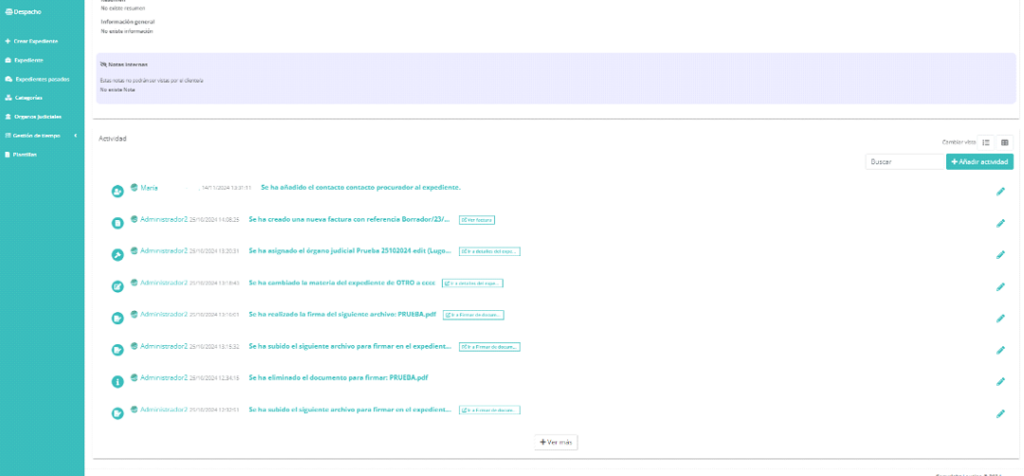
In “Activities” within a case file, we can see the different edits made and which user carried them out, facilitating active and smooth collaboration among lawyers, court agents, and collaborators.
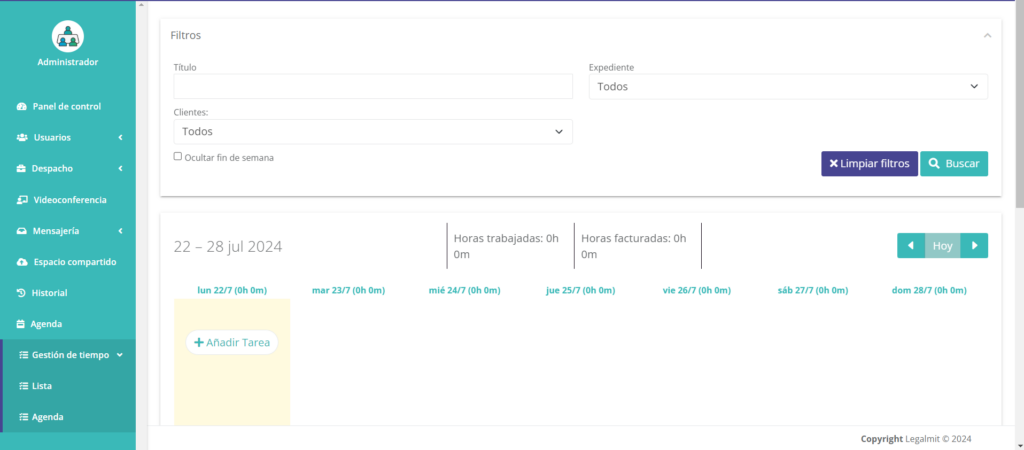
Access to Time Management
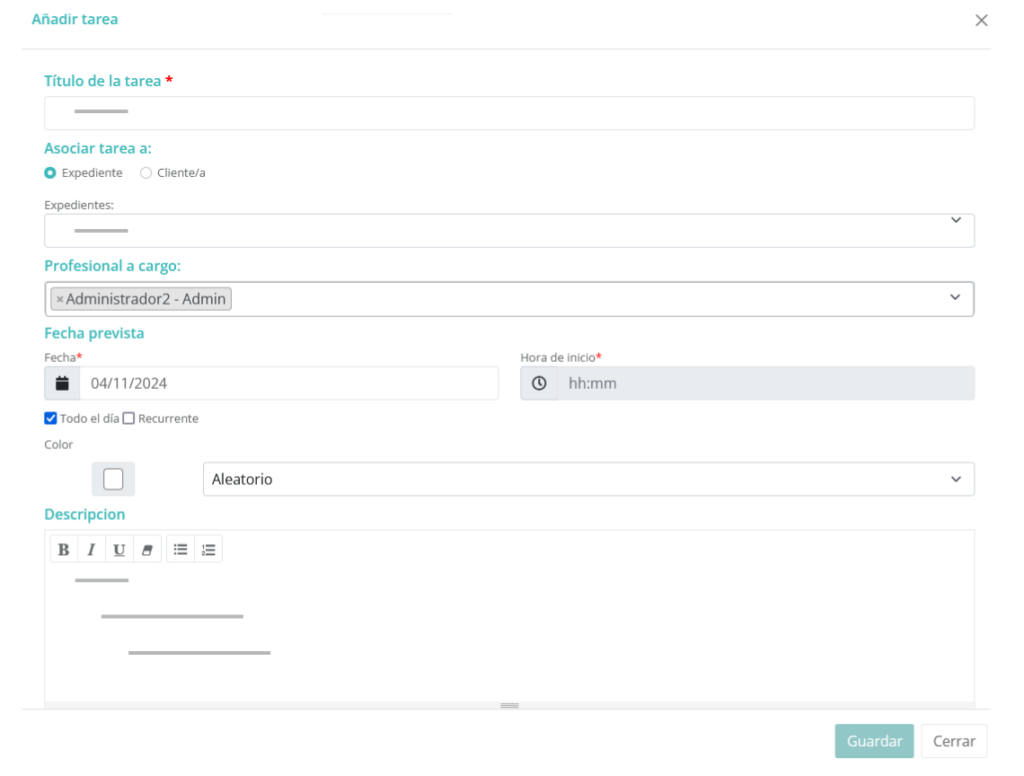
Creation of tasks that may or may not be associated with a case file or client.
In LexDigo, you can manage recurring tasks flexibly by setting their frequency at daily, weekly, monthly, or annual intervals. This capability will allow you to adapt them to your firm’s needs and ensure they are always completed on time. For more details on how to configure and customize these tasks, consult the Case Management Manual.
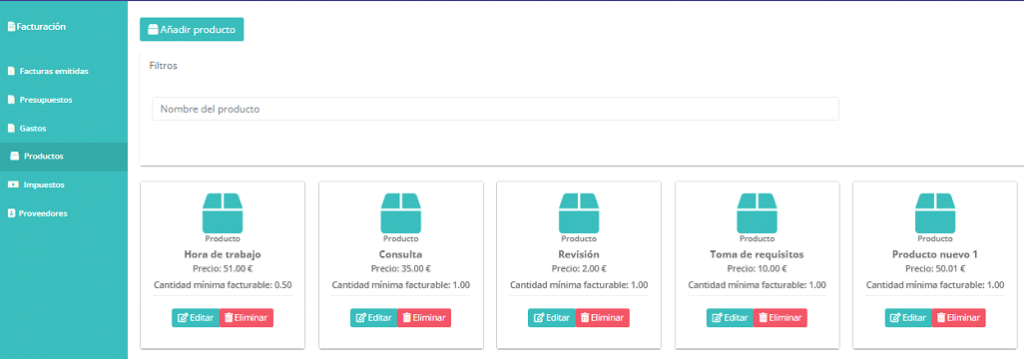
Tasks can be billed by the hour or per unit, depending on your preferences or your client’s. In addition, if you prefer, you can choose not to bill it, giving you full control over the costs associated with each task. The Case Management Manual provides detailed information on how to manage task billing efficiently and in line with your needs.
One of the most notable advantages is the ability to pause the task at any time, both within it and outside it, and continue it later. This provides flexibility and makes it easier to manage tasks without interrupting workflow. This functionality is clearly explained in the Case Management Manual, so you can make the most of it.
When you access the task again, you will only need to click “View details” to review the recorded time and decide whether you want to bill it or take other actions. In this way, you will have full control over the management and billing of each task, as detailed in the Case Management Manual.
Automation in the billing process, with fixed prices and a minimum quantity for billing, makes it easier to create invoices.
At LexDigo, we want you to be able to access your case files easily and securely from anywhere and on any device. Thanks to our platform, you will enjoy the flexibility to manage your cases efficiently, no matter where you are.
Our platform allows remote access from your computer, tablet, or mobile phone. This means that, whether you need to consult a document or manage any aspect related to your cases, you will always be able to access your instance at any time and from any device. In addition, we have optimized the user experience for each type of device, ensuring smooth and efficient navigation.
Protect your data with the industry’s best security practices. At LexDigo, we are committed to ensuring maximum security for our users’ information by implementing the most advanced measures to protect your data.
At LexDigo, we comply with the most stringent security regulations and apply advanced measures to protect your information. For example, we use data encryption and perform regular automatic backups, giving you peace of mind that your data is always safe.
Este sitio web utiliza cookies para que usted tenga la mejor experiencia de usuario. Si continúa navegando está dando su consentimiento para la aceptación de las mencionadas cookies y la aceptación de nuestra política de cookies, pinche el enlace para mayor información.plugin cookies
ACEPTAR