🚀 Novedad: Copiloto Legal con IA y Web de Captación ya disponibles. Descúbrelos

Introduction to Collaboration

Collaboration Manual

Lexdigo contact management

Welcome to Lexdigo’s Collaboration Manual, your guide to optimizing teamwork and improving your firm’s efficiency. Here you will learn how to take advantage of Lexdigo’s built-in tools that allow you to collaborate in real time, share information securely, and keep communication centralized—ensuring every case is a success, regardless of your team members’ distance or location.

Our system is designed to facilitate coordination among lawyers, assistants, and other professionals, allowing you to manage tasks collaboratively, track the progress of each case, and keep everyone involved up to date quickly and effectively. With this collaboration manual, you will discover how to get the most out of these tools—improving productivity, reducing errors, and achieving greater organization across all your workflows.

At LexDigo, we have designed collaboration tools to improve teamwork. Below, we explain how to use them to optimize the management of your cases.
1. Real-time collaboration
collaboration manual

From their account:

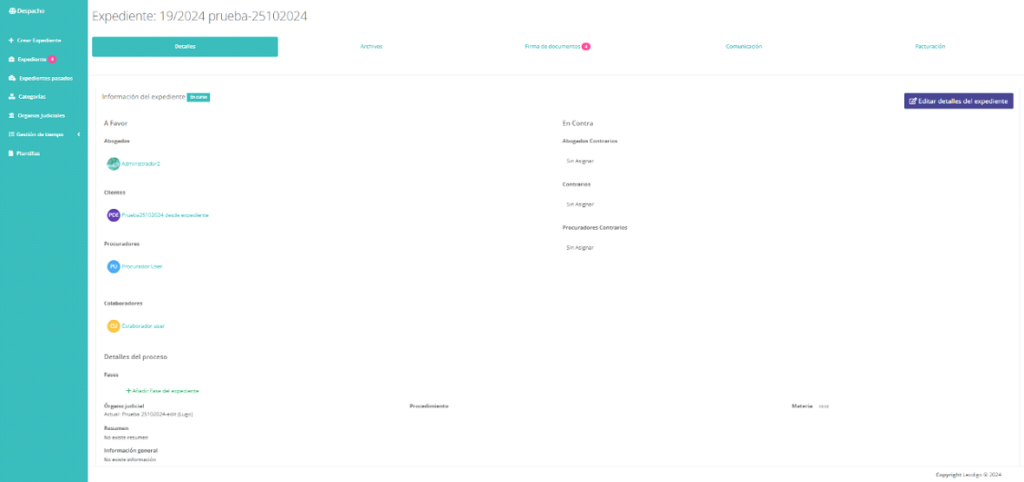
Clients will be able to access the case file, review updates, view shared documents, and more.

In addition, they will be able to track the case file in detail, communicate directly with the lawyer via chat, sign documents digitally, and use other additional features.

In the settings section:

collaboration manual

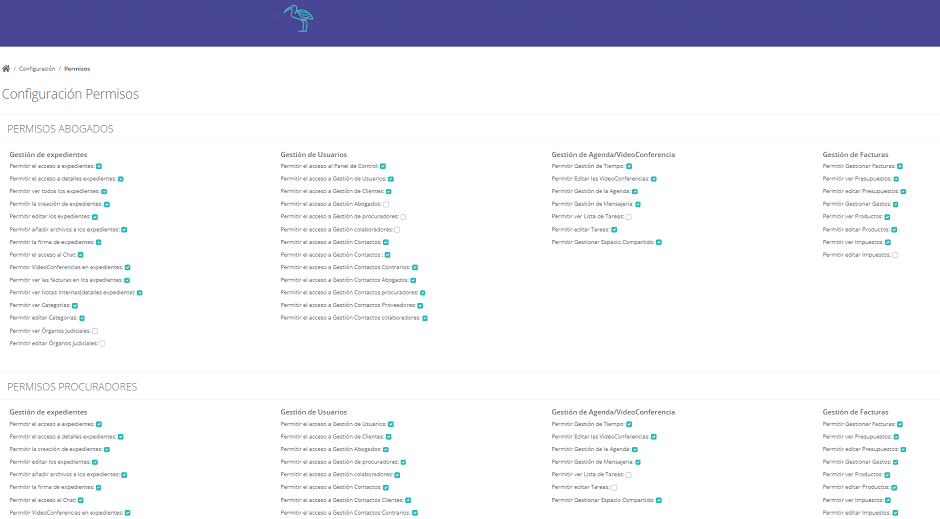
You will have access to specific permissions for lawyers, court agents, collaborators, and clients, ensuring that only authorized individuals can access the relevant information.

You will be able to customize and modify these users’ permissions for various functions, such as case management, user management, calendar, and video conferences, as well as billing administration.

collaboration manual

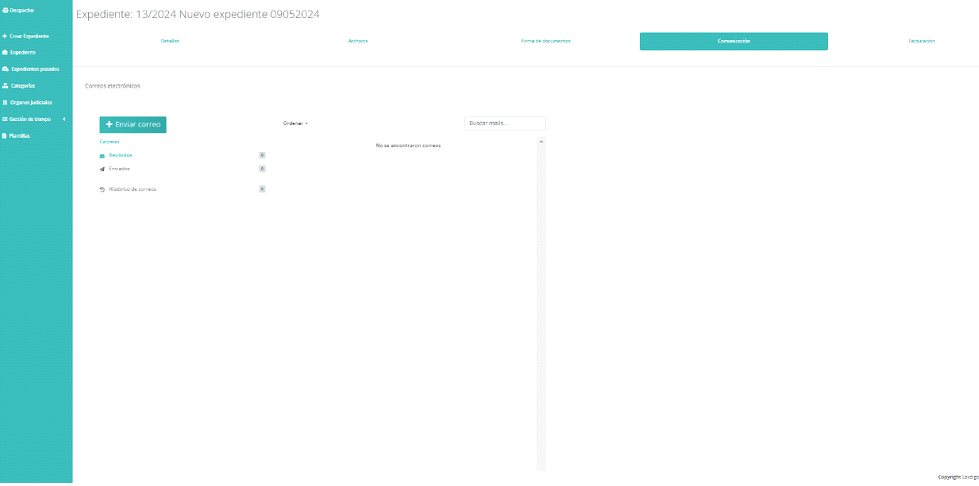
From a case file’s communication section, you can view emails sent from the platform related to the case.

collaboration manual

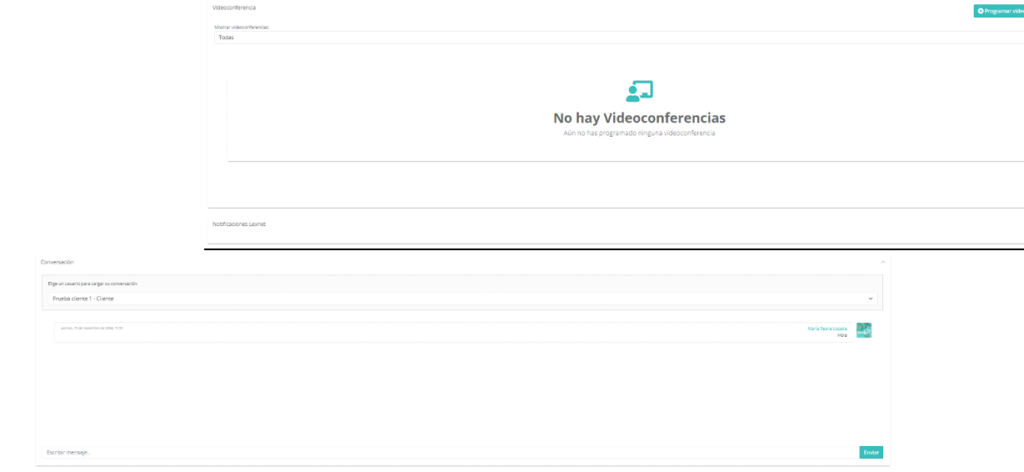
You will also have access to a log of the video conferences held and the Lexnet notifications associated with the case file.

In addition, you will have a real-time chat to facilitate direct and agile communication.

collaboration manual

Your team and collaborators will be able to manage cases securely and remotely, accessing documents, calendars, and notes from anywhere. Whether via a computer, tablet, or mobile phone, they will always be connected—enabling efficient collaboration and productivity without geographic or time constraints.

collaboration manual

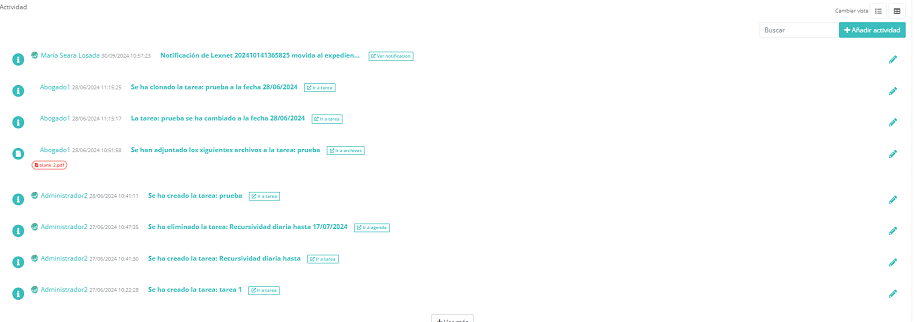
In the case files’ activities section, you can see what changes were made, as well as the date and time they were carried out. In addition, who made each change is recorded, making it easier to maintain detailed and transparent control of actions within the case files.

Este sitio web utiliza cookies para que usted tenga la mejor experiencia de usuario. Si continúa navegando está dando su consentimiento para la aceptación de las mencionadas cookies y la aceptación de nuestra política de cookies, pinche el enlace para mayor información.plugin cookies

ACEPTAR
Aviso de cookies
Lexdigo User Manual
Lexdigo User Manual